
Download Bing Bar – Quick Access, Search, and Social Integration
Overview
Bing Bar is Microsoft’s compact toolbar designed specifically for Internet Explorer 7 and newer. It brings the full power of Bing’s search engine, weather updates, stock quotes, news headlines, and a suite of Microsoft Live services right to the browser’s toolbar. The latest release drops support for Firefox and other browsers, focusing exclusively on Internet Explorer to leverage its built‑in security features.
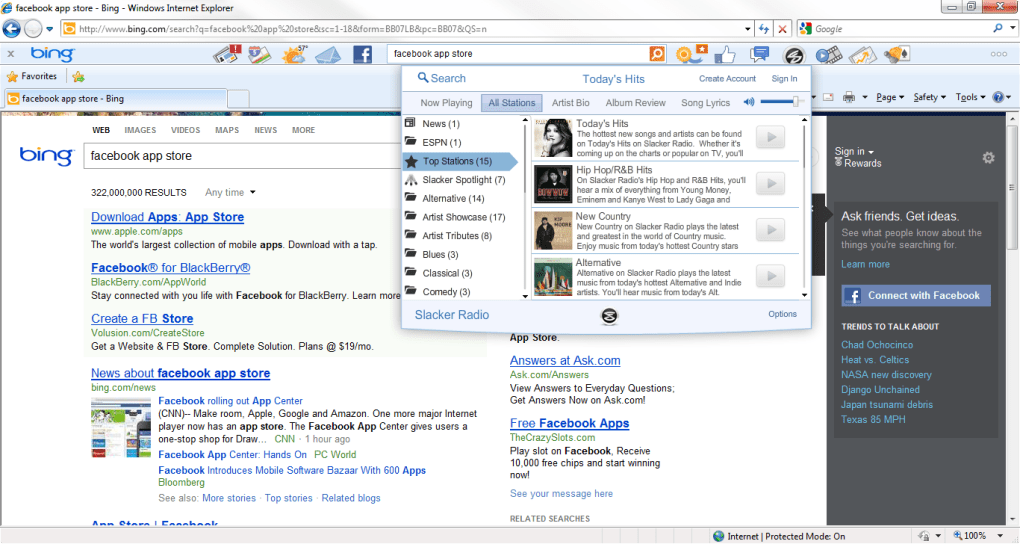
Once installed, Bing Bar provides instant shortcuts to popular Microsoft services such as Hotmail, Windows Live Calendar, and OneDrive, while also embedding Facebook Chat and “Like” buttons for seamless social interaction. The toolbar’s auto‑complete search field predicts queries as you type and can even display answers in a pop‑up window, eliminating the need to navigate to a full results page. In addition, users can download optional mini‑apps like a translator, movie‑times checker, and a rewards‑program manager that tracks points earned by using Bing.
Although the content is heavily U.S.-centric, the toolbar remains a valuable productivity enhancer for anyone who spends a large portion of their day in Internet Explorer and wants immediate access to search, social, and personal information without opening additional tabs.
Key Features and Built‑In Tools
- Instant Bing Search with Auto‑Complete: As you type, the bar suggests popular queries and can show direct answers in a compact overlay.
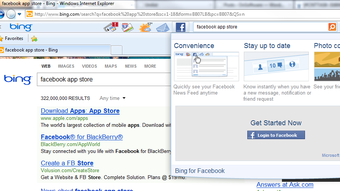
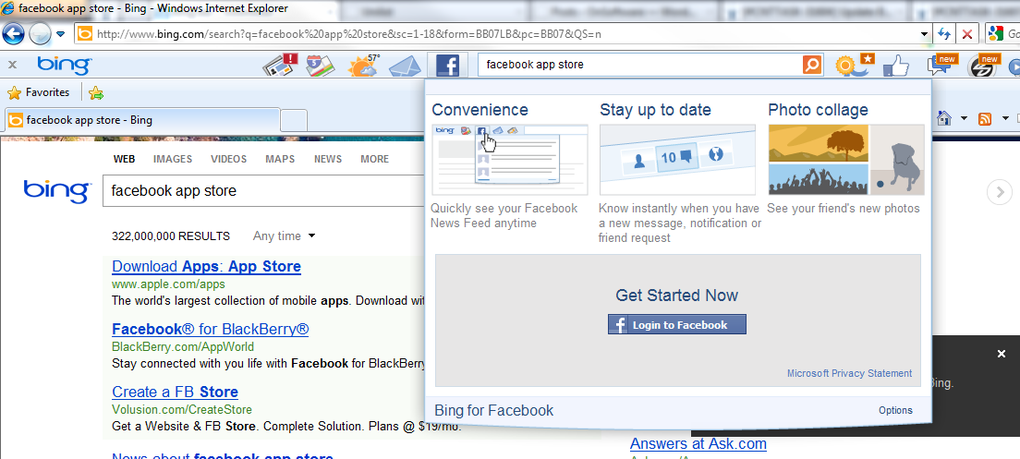
- Facebook Integration: Chat with friends, view notifications, and “Like” pages directly from the toolbar.
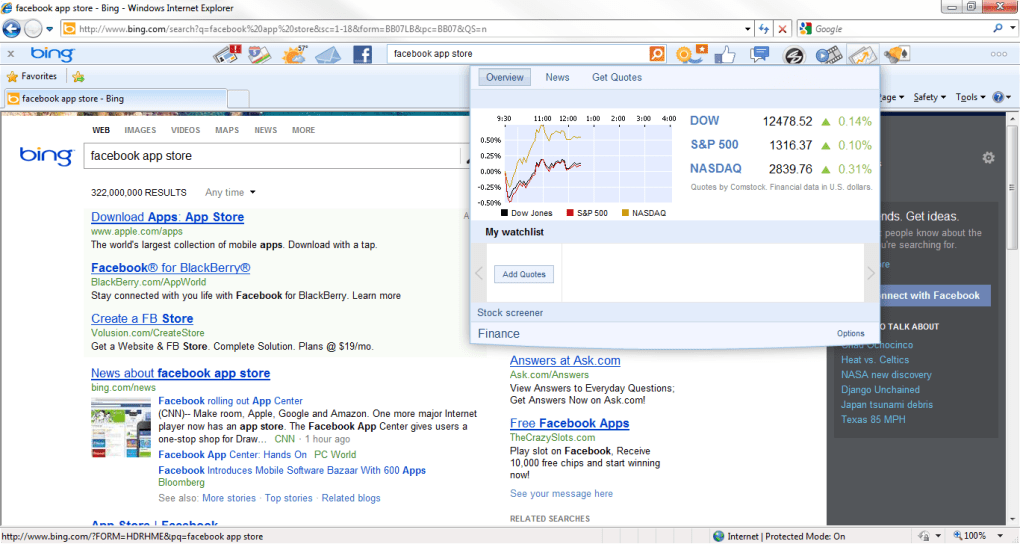
- Live Weather, Stocks, and News Widgets: Real‑time updates appear in drop‑down panels without leaving the current web page.
- Microsoft Live Service Hub: Quick links to Hotmail, Windows Live Calendar, Photos, Groups, and OneDrive.
- Rewards Program Sign‑Up: Earn Bing points for searches and toolbar usage, redeemable for gift cards and discounts.
- Optional Mini‑Apps: Translator, movie‑times, and other small utilities can be added through the Settings menu.
- Notification Management: Enable or disable alerts for specific services, keeping the toolbar clutter‑free.
- Secure IE‑Only Operation: Leverages Internet Explorer’s security sandbox, eliminating the need for separate security modules.
Each feature is designed to keep you in the flow of work. For example, the weather widget updates every hour and can be set to your local zip code, while the stock ticker pulls data from major exchanges and displays price changes in real time. The Bing Bar’s search overlay not only suggests completions but also pulls answers from Bing’s knowledge graph, showing definitions, unit conversions, or quick facts without a full page load. This reduces bandwidth usage and speeds up decision‑making, especially on slower connections.
From a social perspective, the embedded Facebook Chat window functions like the desktop version, supporting instant messaging, status updates, and file sharing. The “Like” button appears next to each search result, allowing you to endorse pages without navigating away. This integration was a standout addition in the latest release, merging search and social activity into a single, streamlined experience.
Installation, Usage, and Compatibility
Step‑by‑Step Installation
- Visit the official Microsoft download page for Bing Bar.
- Click the Download button; the installer file (
BingBarSetup.exe) will be saved to your default downloads folder. - Run the installer and confirm any User Account Control prompts.
- Follow the on‑screen wizard: accept the license agreement, choose the default installation path, and select optional mini‑apps you wish to include.
- After installation, Internet Explorer will restart automatically, displaying the Bing Bar directly beneath the address bar.
Installation typically completes within two minutes on a standard broadband connection. If the toolbar does not appear, verify that Internet Explorer’s add‑on settings allow third‑party extensions and that the “Bing Bar” entry is enabled in the Manage Add‑ons window.
Everyday Usage Tips
Once installed, the toolbar is ready for immediate use. Simply click the search field to start typing a query; suggestions appear instantly. To view answers without navigating away, enable the “Pop‑up Answers” option in the Settings menu (gear icon). For weather updates, click the weather icon and select your preferred city; the drop‑down will show temperature, humidity, and a five‑day forecast.
Facebook users can log in by clicking the Facebook icon, which opens a small chat window. From here you can send messages, view friend requests, and “Like” the current page with a single click. To manage notifications from Microsoft services, open the Settings panel, expand the “Notifications” section, and toggle alerts for Hotmail, Calendar, or Photos as needed.
Power users often customize the toolbar layout by dragging and dropping icons, or by right‑clicking any widget to hide it permanently. This flexibility ensures the bar only displays the tools you use most frequently, keeping the interface clean and focused.
System Requirements and Supported Platforms
Bing Bar is built exclusively for Internet Explorer 7, 8, 9, 10, and 11 on Windows XP (SP3) and later versions, including Windows 7, 8, 8.1, and 10. The toolbar does not support 64‑bit versions of Internet Explorer; a 32‑bit installation is required. Because the tool is IE‑only, it will not function on Microsoft Edge, Chrome, Firefox, or any mobile browsers such as Android or iOS Safari.
Minimum hardware requirements are modest: a 1 GHz processor, 256 MB of RAM, and at least 50 MB of free disk space for the core application and optional mini‑apps. An active internet connection is required for real‑time data like weather, news, and search suggestions.
Pros and Cons
Advantages
- Fast, auto‑complete search directly from the toolbar.
- Seamless Facebook Chat and “Like” integration.
- Instant access to weather, stocks, news, and Microsoft Live services without opening new tabs.
- Customizable mini‑apps and notification settings.
- Leverages Internet Explorer’s built‑in security, reducing the need for additional security modules.
- Rewards program encourages regular use of Bing.
Drawbacks
- Limited to Internet Explorer; no support for modern browsers.
- Content heavily focused on the United States, making some news and services less relevant internationally.
- Optional mini‑apps are few in number and not regularly updated.
- Requires 32‑bit Internet Explorer, which may be a hurdle for users on 64‑bit systems.
- Removal of the previous version’s security features places full reliance on IE’s security model.
Frequently Asked Questions
Is Bing Bar free to download and use?
Yes, Bing Bar is completely free. You can download it from Microsoft’s official website, install it at no cost, and use all core features without a subscription.
Can I install Bing Bar on browsers other than Internet Explorer?
No. The latest version of Bing Bar supports only Internet Explorer 7 and newer. Earlier releases were compatible with Firefox, but those versions are no longer maintained.
How does the rewards program work?
Each time you perform a search through Bing Bar, you earn points. Accumulated points can be redeemed for gift cards, discounts, or charitable donations through the Microsoft Rewards portal, which you can access from the toolbar’s Settings menu.
Is my personal data safe when using the Facebook integration?
Facebook integration uses the same OAuth authentication process as the standard Facebook website. Your credentials are encrypted and never stored locally by Bing Bar. However, you should ensure your Internet Explorer security settings are up‑to‑date.
Can I uninstall Bing Bar if I decide I don’t need it?
Yes. Go to Windows Control Panel → Programs and Features, locate “Bing Bar,” and select Uninstall. After removal, restart Internet Explorer to clear any remaining toolbar remnants.
Final Verdict
Overall, Bing Bar delivers a solid blend of search efficiency, social connectivity, and quick‑access widgets that can boost daily productivity for Internet Explorer users. While its browser limitation and U.S.-centric content may deter some, the free price point, seamless Facebook integration, and optional mini‑apps make it a worthwhile addition for anyone looking to keep essential information at their fingertips without cluttering the screen.
For those still using IE as their primary browser, especially in corporate environments where legacy applications dictate browser choice, Bing Bar is a valuable companion. It consolidates multiple Microsoft services, offers real‑time data, and encourages frequent Bing usage through a rewards program. If you need a lightweight, secure toolbar that keeps you informed and connected, download Bing Bar today and start experiencing the convenience it brings.







